
Excel Training for Intermediate and Advanced Users

Who Can Benefit From This Excel Training
This Excel course will be ideal for those who are familiar with Excel and are looking to take their skills to the next level. If you are not utilising Excel to its full potential and are looking to improve your skills to better work with data or tasks, this course would be perfect for you. This may be suitable not only for office-based employees but also for owners of smaller businesses and accounting professionals. It is also ideal for anyone looking to work more efficiently with Excel to make daily tasks easier and more efficient.
What You Will Learn in This Excel Training Program
You will uncover new Excel features that will help you manage data more effectively. Each part of this training adds practical tools to your skillset.
Advanced Excel Functions and Formulas
You will learn how to create formulas that do more than just basic math. You will practice working with functions like VLOOKUP and INDEX-MATCH to find data easily. These formulas help solve bigger tasks by reducing manual work and showing the right results. You will be able to write better formulas that answer specific needs without getting confused.
Data Analysis and Reporting
You will discover how to look at large sets of data and pull out useful details. This includes using tables, sorting, and summaries that make reports more readable. Excel tools like Goal Seek and Solver help you test different results before making decisions. You can use this to plan your work, forecast numbers, or solve tricky problems.
Lookup and Reference Techniques
You will learn new ways to find information stored across different sheets or files. This includes using Excel features that quickly pull the right numbers or names from the right place. These lookup tools remove guesswork, improve speed, and cut down errors. When working with large files, this skill makes a big difference.
Data Visualisation and Dashboards
You will find new ways to show your data clearly using charts, graphs, and visual layouts. This helps others understand the story behind the numbers. You will also learn how to build dashboards that update automatically. These dashboards can bring together different data points into one easy-to-read page, saving time and avoiding confusion.
Automation with Excel Tools
You will explore how to use Macros and Visual Basic to handle tasks that repeat. This means you can set up a command once and let Excel do the rest whenever needed. These tools save time, reduce mistakes, and allow you to focus on more important parts of your job.
Essential Excel Formulas You Will Use
This training program shows you Excel formulas which enable you to complete your work with data more rapidly while maintaining precise results. The formulas serve multiple business functions because they help with reporting and analysis and regular operational work.
You will grasp data cleaning processes through these functions while building better reports and performing data analysis without manual operations.
The following Excel formulas represent essential learning material which helps you handle data through streamlined operations.
| Excel Formula | Purpose | Example Use |
|---|---|---|
| IF | Tests a condition and returns one value if true and another if false. | =IF(A2>1000,"Met","Not Met") |
| VLOOKUP | Searches for a value in a table and returns matching data from another column. | Find a product price using a product ID. |
| SUMIFS | Adds numbers that meet multiple criteria. | Total sales for a specific region and month. |
| COUNTIFS | Counts the number of cells that satisfy multiple conditions. | Count orders from a specific customer and date range. |
| LEFT / RIGHT | Extracts characters from the start or end of a text string. | Extract area code from a phone number. |
| TRIM | Removes extra spaces from text. | Clean imported data with unwanted spaces. |
| CONCATENATE / CONCAT | Combines text from multiple cells into one. | Join first name and last name into one cell. |
| SUBSTITUTE | Replaces specific text within a cell. | Replace "USD" with "$". |
| LEN | Counts the number of characters in a cell. | Check the length of a product code. |
| MINIFS / MAXIFS | Finds the smallest or largest value that meets specific criteria. | Find the highest sale in a specific region. |
The formulas provide essential elements which allow users to perform their Excel data analysis work. These formulas allow you to finish your daily work activities through their proper application.
The training program includes practical exercises which let you apply these formulas while learning their correct application and methods to combine them with Excel features for report and dashboard development.
The hands-on practice enables you to develop your Excel abilities through basic spreadsheet work which leads to improved spreadsheet control and enhanced user experience.
Why Professional Excel Training Matters
Learning Excel on your own may take time and cause confusion. Professional Excel training removes that guesswork and gives you the exact tools you need. You stop spending extra time trying to fix errors or figure out complex formulas. You also start working faster and with more care. Many industries expect workers to be confident with Excel. When you understand how to manage data well, you become more prepared and more trusted at work. This kind of training brings better results and lets you stay ahead in your tasks.
Training Approach at Knowledge Hub Asia
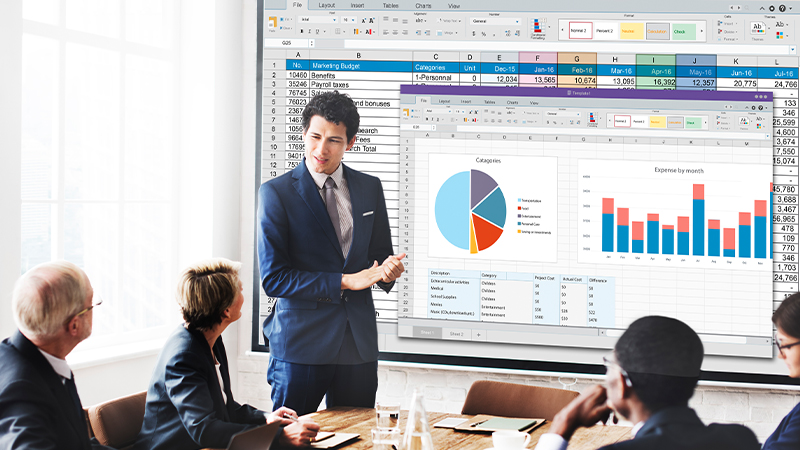
We use a simple and clear teaching method that shows you what to do step by step. Our sessions come with real exercises so you can try everything you learn right away. You will work through guided practice tasks that reflect the kinds of jobs you do in the office. We do not rush, and we give full attention to every learner so you feel comfortable. The sessions are clear, useful, and full of tools that make Excel feel easier to use. Everything we teach comes from a real understanding of what workers need to succeed.
Excel Training Outcomes
By the end of this Excel training, you will work faster and with fewer mistakes. You will use Excel to sort data, check trends, and plan better. You will stop repeating the same work by automating steps. Reports that once took hours will now take minutes. You will also manage and share workbooks with others more smoothly. After this course, you will not just use Excel. You will control it, guide it, and make it serve your tasks more clearly. The time you save and the skills you gain will improve your confidence and output.

Why Choose Knowledge Hub Asia for Excel Training
Expertise You Can Trust
Our instructors understand what professionals need from Excel. We don’t just teach from a textbook; we also teach from real-life experience. You learn what works in real office settings. We guide you through every step with clarity and support. You leave each session with skills you can use the next day at work. We make sure each tool you learn has a purpose in your daily tasks.
Practical Skills That Stick
This Excel learning program focuses on the tasks that matter most. We cover useful features and avoid the confusing ones you don’t need. You spend your time learning skills that solve common problems in reports, data handling, and analysis. We do not give you tricks; we give you real ways to manage and improve your work.
Training That Fits Working Needs
We understand how busy working life can be. That’s why we shape the training to be smooth, focused, and easy to follow. We prepare sessions that help you complete Excel tasks faster and more clearly. You get useful tools without needing weeks to understand them. This training respects your time and energy while giving you results.
Support Beyond the Session
When you participate in our Excel skills training, you receive guidance that remains with you long after the session ends. We answer your questions and explain tricky topics until they make sense. Our support does not stop after the class. We offer learning that continues as you grow. You gain not only knowledge but a resource you can reuse.
Explore Excel
Excel Training: Beginner to Advanced Skills for Professionals
Every workplace operates with numbers, big, small, and everything in between. Excel-based training teaches you how to gather, organise, and interpret those numbers with clarity. From offices to classrooms, people rely on Excel to track data, build reports, and present...
Why Excel Training is Crucial for Business Professionals?
Microsoft Excel is a vital tool in the business world. It’s not just about numbers on a spreadsheet. It’s about improving efficiency and making smarter decisions. Yet, many professionals only use a small part of its capabilities. This guide explores why Excel training...
Excel Training Program
- Maximizing Microsoft® Excel Tools for Fast & Accurate Business Reporting
- Microsoft® Excel for Intermediate/Advance User
- Microsoft Excel Dashboard for Reporting & Project Management
- Creating Amazing Business Report Using MS Office Application Tools
- Basic Dashboard in Reporting & Project Management
- Using Microsoft Application to Enhance Office Administration
- Data Analytics With Ms Excel (Basic To Intermediate)
- Power Bi Analyst (Basic To Intermediate)
- Data Visualization With Power Bi (Advance)
- Data Analytics Essentials: Powering Up with Power Query in Excel (Intermediate)